
The Ultimate Guide: How to Ensure Your GMB Account Won't Be Suspended
Prevention is Better Than Recovery
Don't let a sudden suspension ruin your local SEO strategy. Find out why Google Business Profiles get suspended, and what you can easily do in under one hour to retain your GBP account active, in compliance and still ranked high.
The Local SEO Nightmare: "Why Is My GMB Account Suspended?"
The scenario goes like this: It is just a typical morning, you open your laptop and visit your rankings, and then one day you find that your business listing is no longer visible on Google. No website visits. No calls. No Maps visibility. It only takes a rude warning of "Suspended" hanging in your Google Business Profile dashboard.
In the case of those companies who rely on local search traffic, it is not a minor nuisance. It hurts the sales, reputation, and the trust of the customers. Most of the businesses cannot notice how weak their listing is before its loss.
Preservation of users against misleading or fake lists is the ultimate aim of Google, and due to that reason, even authentic and legitimate business is suspended in cases of mere errors. But here's the good news:
👉 Preventing a GMB suspension is far easier, safer, and faster than trying to recover from one.
This guide simplifies the rules of Google, without the disheartening use of technical vocabulary, and provides a step-by-step way of explaining everything across human terms in order to ensure that your GMB Account remains safe, stable and compliant.
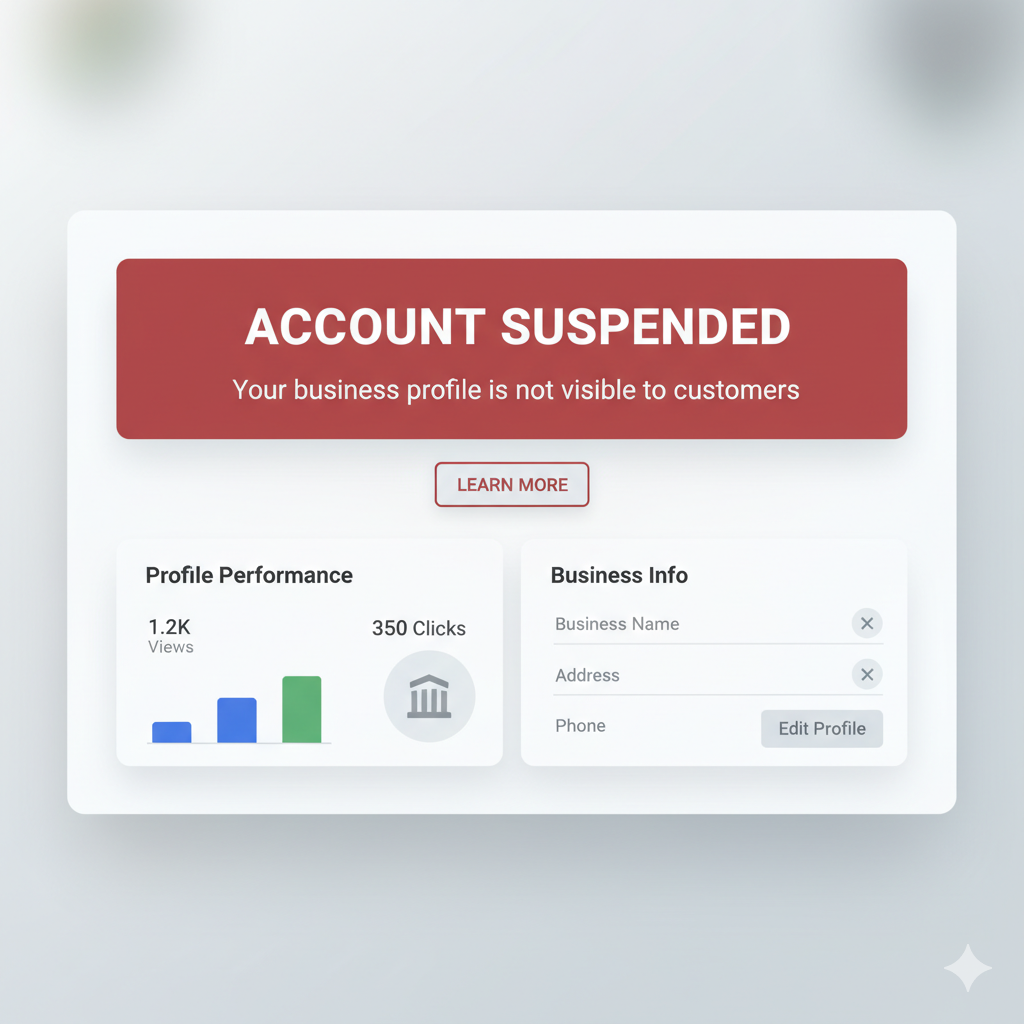
Why Does Google Suspend Business Profiles?
The concept behind Google Business Profile (GBP) (previously called Google My Business (GMB)) is based on the following principle:
All listings should amount to one legit business and one that transacts with real customers.
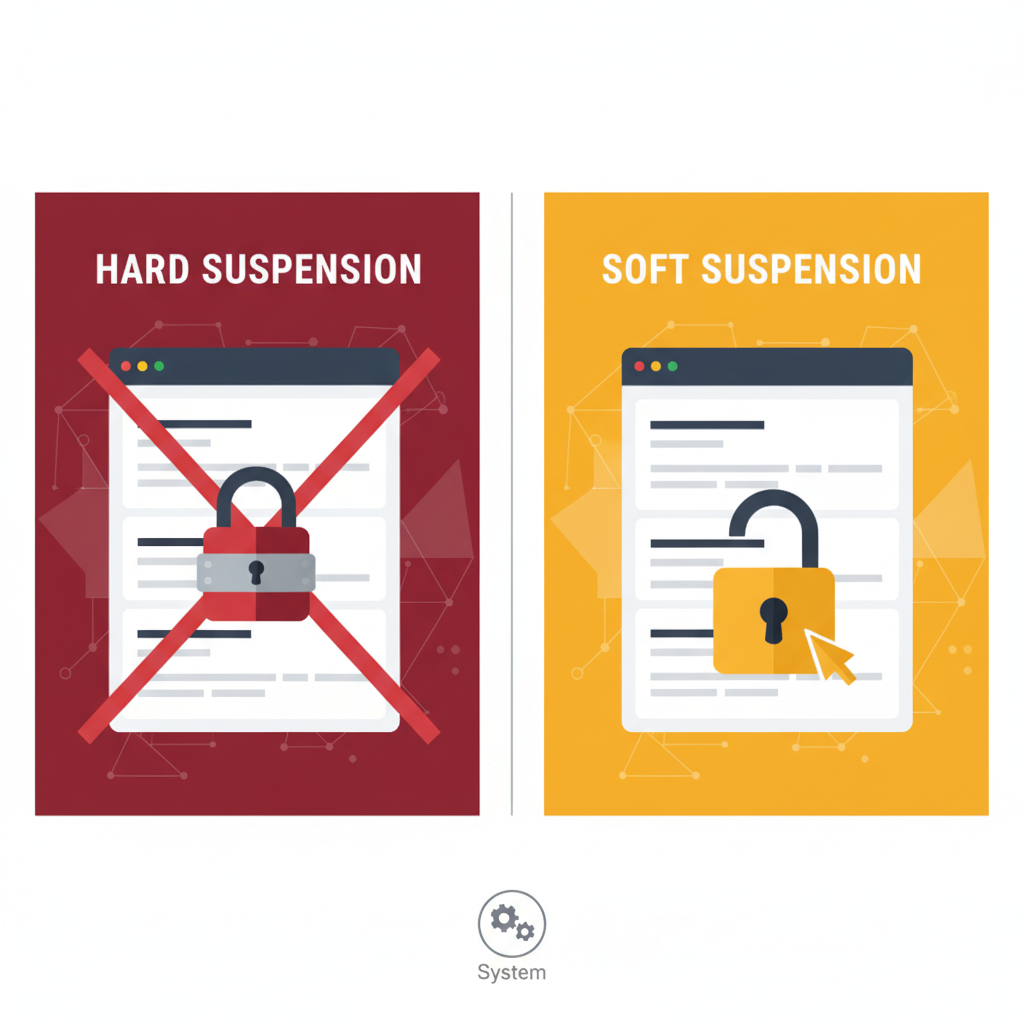
When your business breaks this rule, despite the fact that it might be unintended, your account is likely to be suspended. You have to know two kinds of suspensions:
Hard Suspension
- All your listings will be deleted on Google Search and Maps
- You are not even visible to customers
- This normally suggests significant violations: such as a forged address or grossly misleading business details
Soft Suspension
- The listing can be seen publicly but you lose control on the backend
- The listing cannot be edited or managed until re-verified or reviewed
Both these kinds of suspensions are a result of breaching Google Guidelines to Represent Your Business - and the best measure of keeping your Google Business Profile safe is to abide by them in a regular fashion.
Rule #1: Do Not Stuff Keywords in Your Business Name
Among the number of reasons why businesses are suspended is the mere reason that they include some unnecessary keywords in their business name. To many owners the mistake they make is combining city names, services or promotional phrases given the illusion that this would enhance the power of SEO.
This will be counterproductive in the sense that it will indicate spam.
Avoid Doing This:
- Mike's Garage - Best Car Repair in Dallas
- Luxe Spa Low-end Massage and Facial
- City Cleaners - East Austin Branch
What Google Wants:
Your business name in its total and complete form in the real world:
- On signage
- On your website
- On invoices
- On business cards or brands
Whatever is not legally in your name, leave it out. Adding unnecessary keywords is one of the fastest ways to trigger a Google Business Profile suspension and recovering from this mistake can take weeks.
Rule #2: Provide an Actual, Provable Address (No Virtual Offices or PO Boxes)
The sensitive account information of your GMB Account is your address. Why? Since Google requires that you have a physical location to conduct business in that customers can check on it (unless you are a service-area business).
For Brick-and-Mortar Locations, You Must:
- Your business must occupy the place physically
- During working days it should have staff
- Your customers need to visit you physically
- The space should contain signage of a real business
- Your presence should be provable by Google Street View or photos
Avoid the Following Address Violations:
- PO Boxes
- UPS Stores
- Shared virtual offices (Regus, WeWork shared spaces, etc.)
- Co-working offices
- Locations without staff
Google has grown very astute at detecting fake or temporary addresses - and these practically always result in hard suspension. One of the biggest risks involved in suspension is the inability to meet these requirements.
Rule #3: Service Area Businesses Must Hide Their Address
When you run a business at home and you travel to customer locations (such as plumbers, electricians and cleaning services), you are under Service Area Business (SAB) guidelines. The home address of SABs has to be concealed.
Allowed:
- Defining your service area (e.g. Mumbai, Navi Mumbai, Thane)
- Displaying the cities that you serve
Not Allowed:
- Showing your residential details
- Presenting an address that is inaccessible to customers
- Making the home location a storefront
One of the most prevalent causes of SAB suspension consists in displaying a home address.
Rule #4: Maintain NAP Consistency (Name, Address, Phone Number)
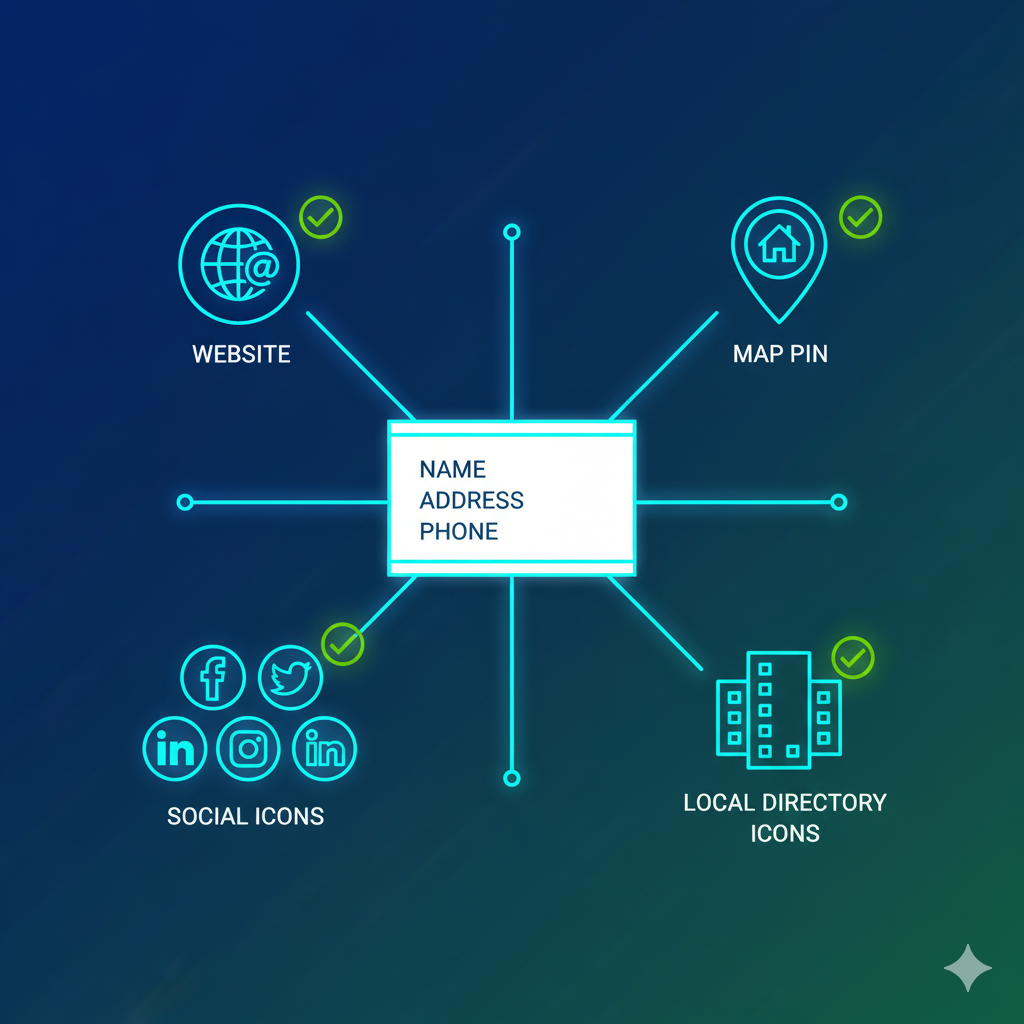
The services at Google depend on the so-called trust signals that are present across the internet to ensure your business is legitimate. Google can perceive discrepancy as suspicious where your NAP (Name, Address, Phone Number) looks different on various sites.
Your NAP must match across:
- Your website
- Social media
- Local directories (Justdial, Yelp, Sulekha, Yellow Pages etc.)
- Government listings
- Industry-specific websites
Even such minor variations as "Street" vs. "St." or absent Suite numbers will raise a red flag.
NAP consistency enhances trust by Google in your business. Lack of consistency heightens the chances of suspension.
Rule #5: Do Not Trigger Suspicious Activities (Edits, Ownership, Duplicates)
The reason why many businesses are suspended is due to making too many edits in a short time.
Avoid:
- Switching names, type and location of business in one go
- Adding several owners that you do not trust
- Duplicating entries in the lists
- Editing business hours time after time
- Rapid category switching
Make Changes Slowly
If you must update something:
- Do it one step at a time
- Wait to be verified by Google
- Do not make big edits when making large changes in the context of Local SEO
Significant changes are indications of suspicious activities - to the automated mechanisms of Google.
Rule #6: Never Fake Reviews
False reviews present one of the greatest concerns of Google. Companies would also attempt to purchase the reviews or request their friends/workers to comment using fake 5-star feedback. The detection systems at Google are currently very sophisticated, i.e. even minor manipulation in the review generated can initiate a suspension.
Avoid:
- Buying reviews
- Requesting employees to make reviews
- Discount prices as a reward for 5 star ratings
- Posting fake negative reviews on competing listings
Do This Instead:
- Request customers to be real with their feedback
- Use a QR code in-store
- Contact customers either through WhatsApp or SMS
- Respond to all reviews, good or bad
Candid, healthy, genuine review activities reinforce your Google Business Profile and save you against punishment.
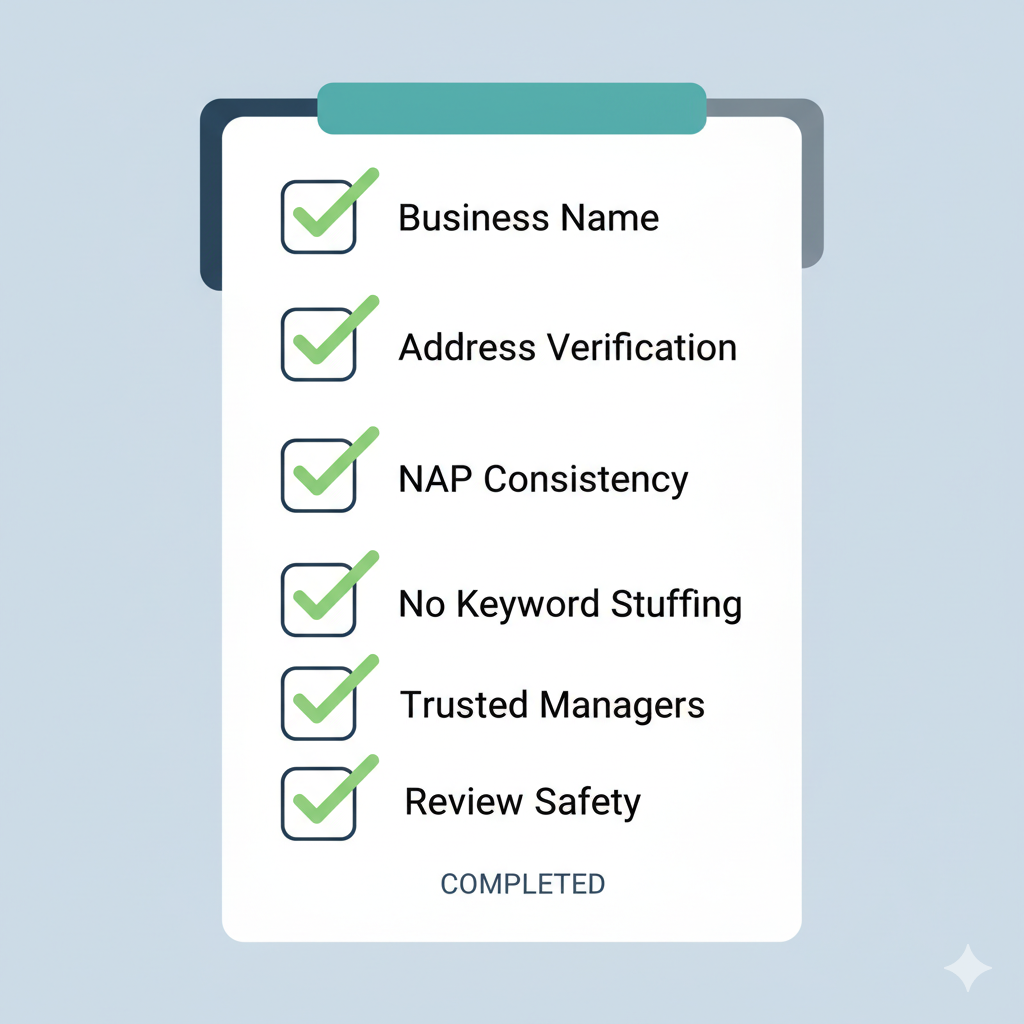
Your Google Business Profile Monthly Safety Checklist
Your GMB Account security is a never-ending task - not something you have already done. Limit the chances of being suspended by using this simple monthly checklist:
Business Name
Is your name the same as your legal brand name?
Address Verification
Does your address count, is it staffed and active? Is your address concealed, in case you are a service-area business?
NAP Consistency
Are Your Name, Address and Phone the same everywhere over the internet?
No Keyword Stuffing
Did you not add additional names of your services and cities to your business name?
Trusted Account Managers
Is it only verified trusted users who are making edits in your profile?
Review Safety
Do you leave all your reviews in a natural way?
With this checklist in check, you will ensure that your Google Business Profile is secure, sustainable, and maximally visible.
Final Thoughts
The GMB / Google Business Profile is one of the greatest digital properties that your business possesses. It receives calls, Internet visits, customers walking into the store, and face to face dealings. Losing it even in the short-term may cause a significant loss of leads and local ratings.
However, through proper precautions, you will manage to have your profile secure and never face a problem of being suspended. Keep in line, keep steady and watch over your profile with trepidation and you are sure that your business will keep flourishing within the local ecosystem of Google.